Wire components automatically
Place parts on the canvas and let Cirkit AI wire them together.

Build Arduino, ESP32, and Raspberry Pi Pico projects in your browser. Design with a large component library, use AI tools for wiring and code, then simulate before you touch hardware.
How it works
Use Cirkit's AI tools to help bring your circuit to life: wire components, generate project code, and ask questions about your design as you build.
Place parts on the canvas and let Cirkit AI wire them together.
Generate code for Arduino, ESP32, Raspberry Pi Pico, and connected components.
Ask for help understanding, debugging, or improving your circuit while you design.
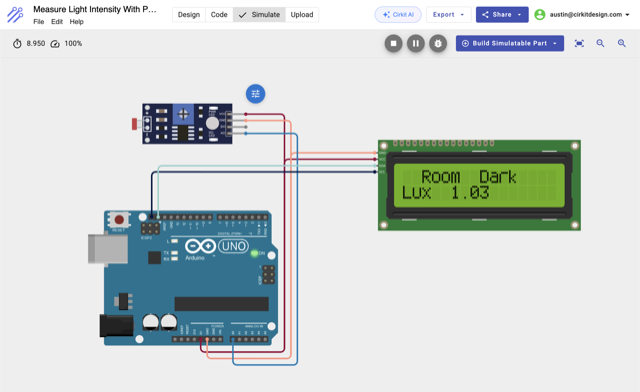
Run embedded code in the browser and see how your circuit behaves before building it with real hardware.
Write and run Arduino, ESP32, and Raspberry Pi Pico code directly in the browser.
Watch displays, sensors, buttons, motors, LEDs, and other parts react in simulation.
Prototype IoT and Wi-Fi-enabled projects before setting up hardware.
After simulation, turn your project into something useful: generate diagrams, share a link, or upload firmware to real hardware when you're ready to build.
Generate wiring diagrams and project documentation from your circuit.
Send a link to a teammate, classroom, or the community so they can view, copy, or build from your design.
Flash tested firmware from the browser to a connected Arduino, ESP32, or Raspberry Pi Pico.
Custom parts
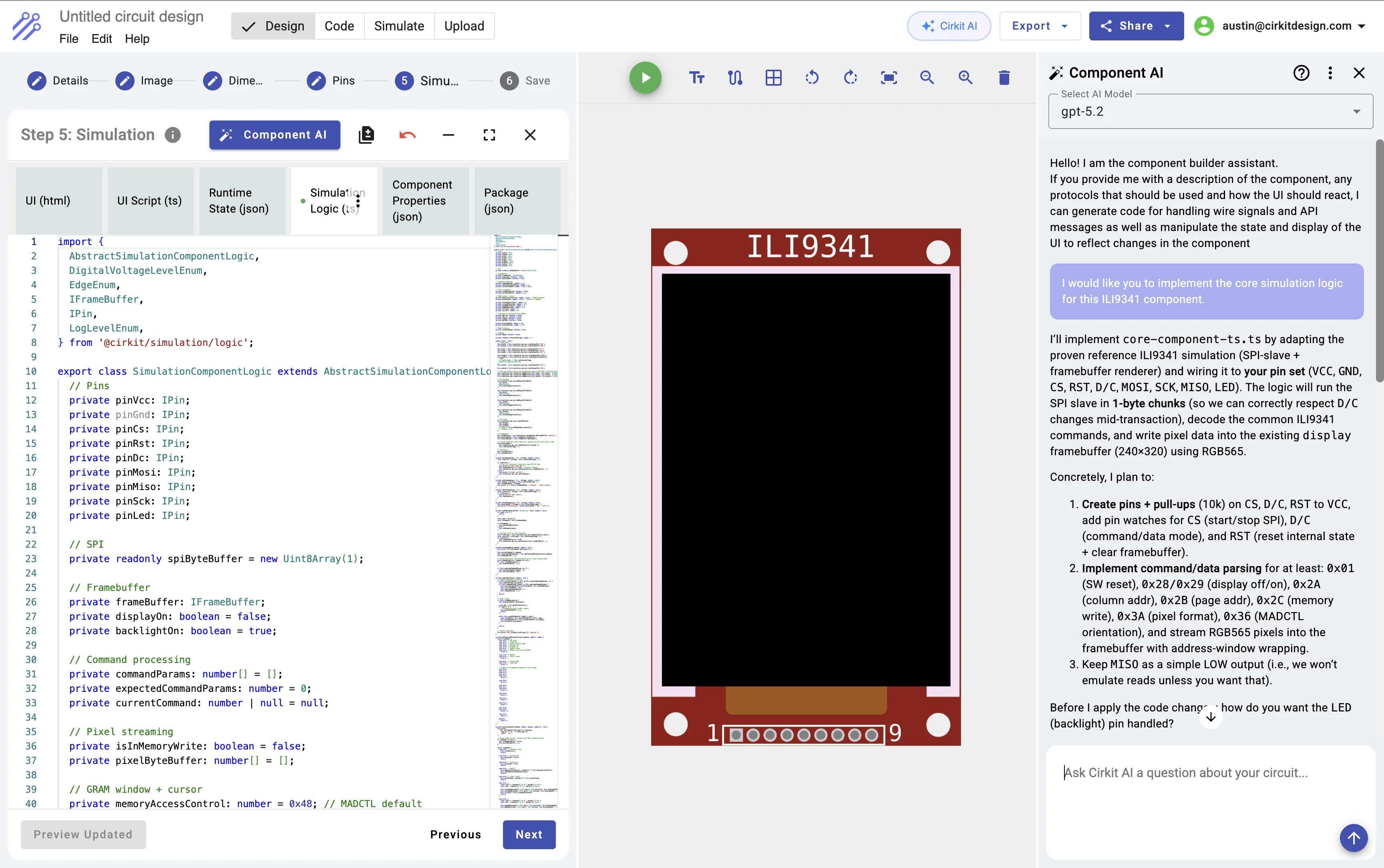
Not every part is in the library. When you need something custom, build it visually, define its pins, and let AI help write the logic that makes it work in simulation.
Build sensors, actuators, modules, and custom boards with your own visuals and pin definitions.
Let AI help write the code that makes custom parts respond in simulation.
Reuse custom parts across projects. Coming soon, submit components to the public library after review.
For classrooms
Students can design, code, and simulate circuits in the browser without local installs or fragile lab setup. Classroom management, assignments, and grading tools are coming soon.
Students can start on Chromebooks, lab computers, or personal laptops without installing desktop IDEs.
Let students test circuits and code before hardware is available, shared across a class, or working reliably.
Students can ask for help with wiring, code, and circuit questions while the instructor is helping someone else.
Free to start · No installation
Design with AI, simulate your circuit, and export diagrams or firmware from one browser-based workspace.